
TELEPHONE A CARTES - Card phone FRANCE TELECOM - Free user manual and instructions
Find the device manual for free TELEPHONE A CARTES FRANCE TELECOM in PDF.


| Product type | Card phone |
| Brand | FRANCE TELECOM |
| Model | CARD PHONE |
| Power supply | Mains 220 V - 50 Hz via power adapter |
| Display | 4-digit digital display (remaining credit or error code) |
| Call functions | Calls with phone card, Pastel Card (via 3610), free calls (emergency numbers, toll-free numbers) |
| Compatibility | Standard telephone jack, double socket for Minitel or fax |
| Installation | Placed on a flat surface or wall mounting (optional) |
| Error management | Displayed error codes (ERR 0 to 7) with solutions |
| Backup operation | Possible without mains power for free calls (emergency numbers, toll-free numbers) |
| Service numbers | Faults: 13, FRANCE TELECOM agencies: 14 |
Frequently Asked Questions - TELEPHONE A CARTES FRANCE TELECOM
User questions about TELEPHONE A CARTES FRANCE TELECOM
0 question about this device. Answer the ones you know or ask your own.
Ask a new question about this device
Download the instructions for your Card phone in PDF format for free! Find your manual TELEPHONE A CARTES - FRANCE TELECOM and take your electronic device back in hand. On this page are published all the documents necessary for the use of your device. TELEPHONE A CARTES by FRANCE TELECOM.
USER MANUAL TELEPHONE A CARTES FRANCE TELECOM
To receive all phone calls
To call with a prepaid phone card or Carte Pastel* (subscriber account card).
To call free numbers (emergency numbers, toll free numbers, etc.).
The card phone is user-friendly.
It is both simple to use and enables better management of telephone costs.
Phone cards are sold at: tobaccoists', Post offices, approved retailers, FRANCE TELECOM Agencies.
*Information and subscriptions available at FRANCE TELECOM Agencies.
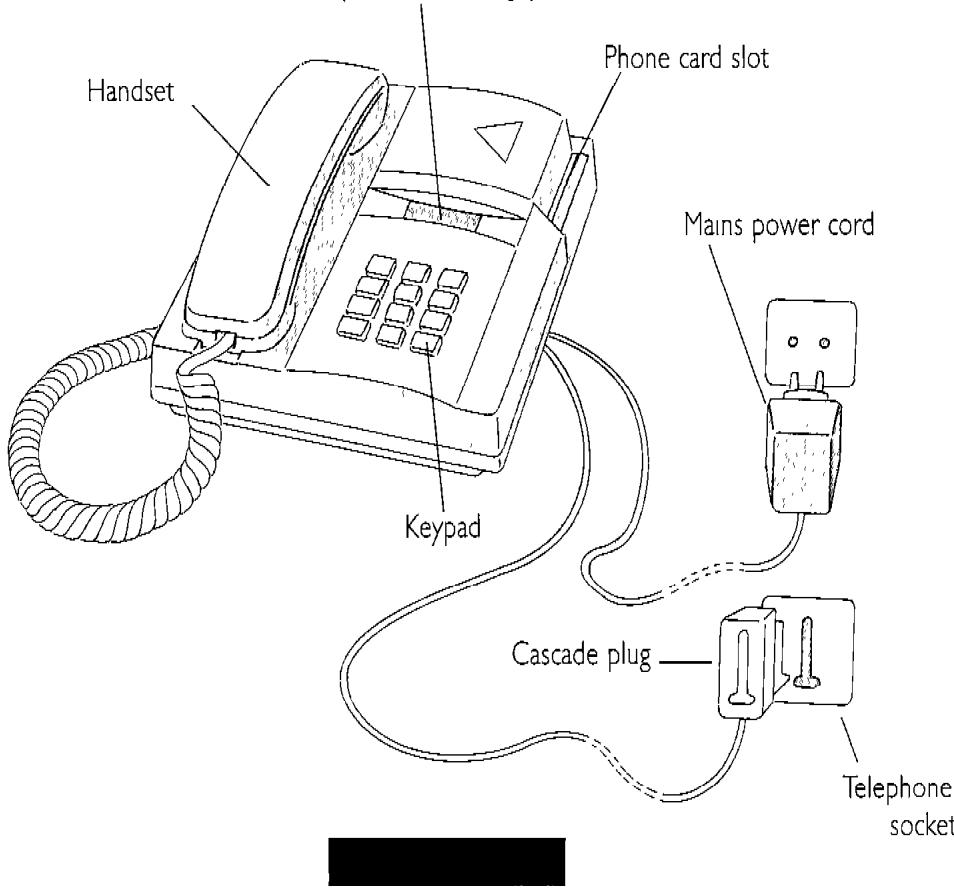
DESCRIPTION
4-digit display showing credit amount remaining on phone card (or error message).
INSTALLATION
- Insert the telephone plug into the telephone socket.
- Plug the mains power plug into a standard 220V - 50Hz^* mains socket.
- Plug any peripheral equipment (Minitel, fax, etc.) into the cascade plug.
The card phone can be installed on any flat surface. An optional wall mounting fixture is also available.
- In case of mains power failure, the telephone can still be used to dial free (emergency) numbers (see calling without a phone card) and can receive calls.
The electrical plug must be located near the card phone and easily accessible.
INSTRUCTIONS
RECEIVING CALLS
The card phone is assigned an individual number which can be called from France and other countries. The number is listed on the instruction card.
MAKING A CALL
1-With a prepaid card
Insert the prepaid card before lifting the handset
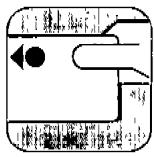
Insert the card
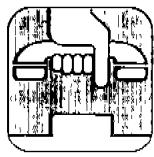
Lift handset
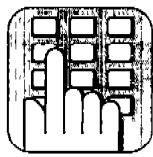
Dial
The display shows the number of credit units remaining during the call.
NOTE: Certain services charge a fixed number of unit fees, deducted once at the beginning of the call.
For example, telephone information services (numbers beginning with 3665) or directory assistance (12) cost 5 unit fees.
At the end of your call you may leave the card in the slot for further use (don't forget to remove it at the end of your stay).
2 - Using the Carte Pastel (subscriber account card)
Do not insert the Carte Pastel in the slot.
Lift the handset and dial 3610


card number (9 digits) ÷ PIN code


number called
press

3-Without a card
Only free numbers can be called by lifting the handset without inserting a phone card.
Emergency numbers: 18 17 15
- Repair service: 13 and FRANCE TELECOM agencies: 14
-Toll-free numbers: Numero Vert
DISPLAY MESSAGES
1) Normal operation:
- the number of credit units remaining on a phone card is displayed:
if the card has 20 units, for example, the display is:
If all credit units have been used up, the display is:
- for the free numbers, shown before, the display is:
the insertion of the phone card would induce the cutting off of the call.
2) Error message:
Action:
| ERR 0 or ERR 7 | card has been incorrectly inserted or is not a phone card | hang up, reinsert a phone card, lift the handset and re-dial. If the problem persists, dial 13 for FRANCE TELECOM maintenance. |
| ERR 1 or ERR 2 or ERR 5 | phone card error | hang up, insert a new phone card, lif the handset and dial again. |
| Credit remaining display flashing or ERR 3 or ERR 4 and call cut off. | either a pay number has been dialed without a phone card or the card was removed or inserted during a call | hang up, insert a prepaid phone card, lift the handset and re-dial, without removing the card. |
| ERR 6 | Call error | hang up and re-dial. If the problem persists, dial 13 for maintenance/technical assistance. |
FRANCE TELECOM
DIRECTION GENERALE
DIRECTION COMMERCIALE